Windows 10 Support Ends: Everything You Need to Know About the End of an Era#
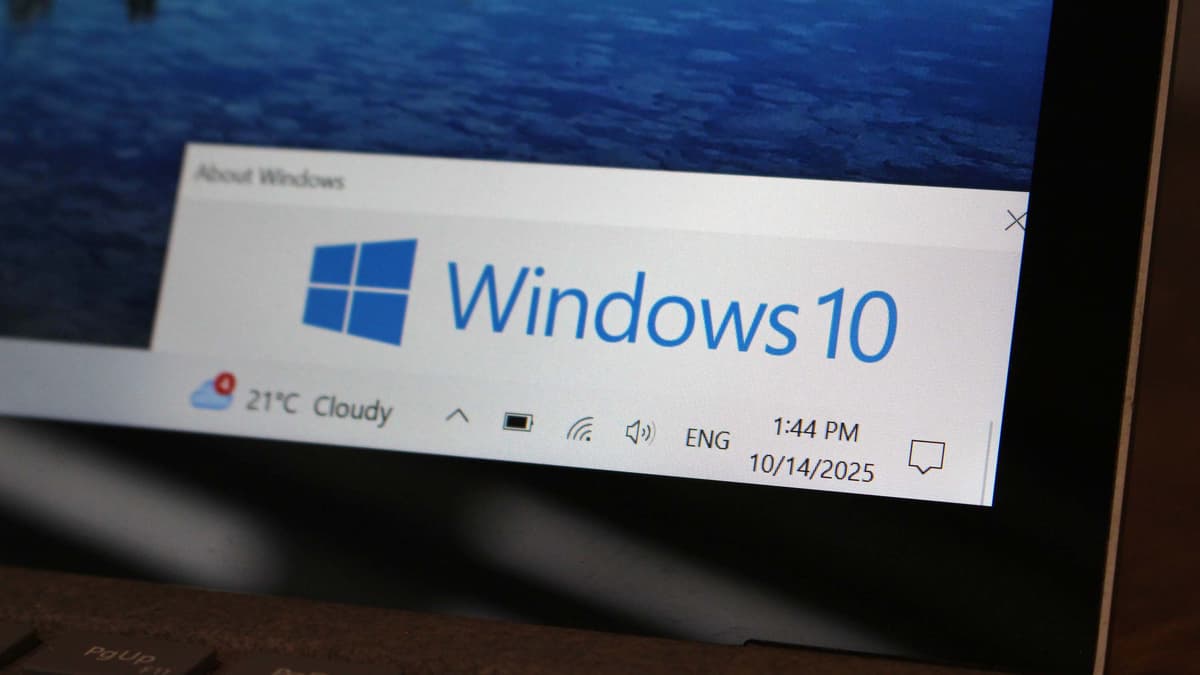
After a full decade of use, Windows 10 officially reached the end of support on October 14, 2025. If you are still running Windows 10, you might be wondering what this means for your computer and what your next steps should be.
There is some good news. Microsoft is offering Extended Security Updates (ESU) for another year, and there are a few ways to claim them at no cost. Here is a simple breakdown of what you need to know.
Security Risk Alert
Without security updates, Windows 10 computers become far more vulnerable to viruses, malware, and cyber attacks. If you still rely on Windows 10, it is important to take action soon.
What Does "End of Support" Actually Mean?#
Once an operating system reaches its end of support, Microsoft stops providing:
- Security updates which patch new vulnerabilities
- Feature updates which improve functionality
- Technical support from Microsoft
- Bug fixes for known problems
Your PC will still run, but it becomes less safe to use on the internet. Activities like online banking, shopping, and handling personal information can carry much higher risk.
Get Free Extended Security Updates Until October 2026#
Microsoft has released an Extended Security Updates program that offers one extra year of important security patches. You can access it in several ways.
Free with Microsoft Account Cloud Backup#
The simplest way to get free ESU is by backing up your PC settings to the cloud using your Microsoft Account. This option gives you:
- One year of security updates until October 13, 2026
- A cloud backup of your settings
- A license that works on up to 10 devices
How to enroll:
- Open Settings → Update & Security → Windows Update
- Find the end of support notice and select the enrollment link
- Follow the setup steps and choose the cloud backup option
- Sign in with your Microsoft Account
European Users
If you live in the European Economic Area, Microsoft provides ESU for free with no conditions for one year due to recent consumer rights rulings.
What ESU Includes (And What It Does Not)#
Understanding the limits of ESU will help you plan your next steps.
What You Get:
- Critical security patches
- Important security updates
- Protection against new threats
What You Do Not Get:
- New features
- Non security bug fixes
- Technical support
- Performance enhancements
ESU is a temporary safety net while you prepare to upgrade to Windows 11 or move to a new device.
Should You Upgrade to Windows 11?#
Windows 11 is the current supported version of Windows and receives ongoing updates. Some computers can run it without any changes, while others may not meet the requirements.
Windows 11 System Requirements#
Check Your PC Compatibility#
Download PC Health Check
Microsoft offers a free tool called PC Health Check that shows whether your PC can run Windows 11.
Run the Compatibility Check
Open the tool and select "Check now" to see if your device meets the requirements.
Review the Results
If your PC is compatible, you can upgrade for free. If it is not, the tool will list the parts that do not meet the requirements.
Your Options: A Decision Guide#
For Business Users#
If you manage multiple Windows 10 machines, the situation is different.
- Enterprise ESU costs $61 per device for the first year
- Prices double each following year
- ESU can be purchased for up to three years
- There are no free ESU options for business licenses
For most businesses, upgrading to Windows 11 or buying newer hardware is often more cost effective than paying for multiple years of ESU.
How TECHBAY Computer Specialists Can Help#
At TECHBAY Computer Specialists in Highett, Victoria, we know that changing operating systems can feel overwhelming. We offer complete upgrade services for customers throughout Melbourne.
Professional Windows 11 Upgrade and General Service: $110#
Our full service package includes:
Windows 11 Upgrade:
- Hardware compatibility checks
- A full backup of your data
- A clean installation of Windows 11
- Updated drivers for all components
General Service:
- Hardware diagnostics
- Malware and virus removal
- Registry cleanup
- Junk file cleanup
- Startup optimization
- Updated drivers
Plus:
- Security setup
- A walkthrough of new features
- A 12 month installation warranty
All for $110, which is great value for a complete system refresh.
Other Services We Provide#
- Free Windows 11 compatibility checks
- ESU enrollment help
- Data migration
- Hardware upgrades
- Custom PC builds
- General servicing and tune ups
- Virus and malware removal
- Diagnostics and repairs
Visit Us in Highett
Come see us at 336 Highett Road, Highett, Victoria. Whether you need a Windows 11 upgrade or an ESU enrollment, our team is ready to help customers across Melbourne's bayside suburbs.
Frequently Asked Questions#
Will Windows 10 stop working after October 14, 2025?
No. Windows 10 will still run, and your programs and files will remain accessible. The problem is the lack of security updates, which greatly increases your risk online.
Can I upgrade to Windows 11 for free?
Yes. As long as your PC meets the requirements, the upgrade is free for Windows 10 users.
How long will ESU be available?
Consumers get one year of security updates until October 13, 2026. Businesses can pay for up to three years.
What if I do not enroll in ESU or upgrade?
Your computer will continue to work, but it will become increasingly vulnerable to threats. Upgrading or enrolling in ESU is strongly recommended.
Can TECHBAY help me choose the right option?
Absolutely. Visit us at 336 Highett Road, Highett for a free consultation. We can check your system, test Windows 11 compatibility, and help you choose the best solution for your needs and budget.
Take Action Now#
Here are the steps you should take this week.
Check Windows 11 Compatibility
Use the PC Health Check tool or visit TECHBAY for a free check.
Enroll in ESU for Immediate Protection
Even if you plan to upgrade later, ESU keeps you protected until you decide.
Plan Your Long Term Solution
Choose between upgrading, replacing hardware, or moving to another system before October 2026.
Need help with your Windows 10 transition?
Visit TECHBAY Computer Specialists for expert guidance and professional upgrade services.
📍 336 Highett Road, Highett, Victoria
💻 Professional Windows 11 Upgrade and Full Service: $110
🔒 Keep your data safe and your PC secure
🏆 Proudly serving Melbourne's bayside suburbs
We are located in Highett and help customers throughout Cheltenham, Moorabbin, Brighton, Mentone, Sandringham, Hampton, Bentleigh, and other bayside areas.